
ERP-WMS integration synchronizes financial and operational records so orders, inventory, and shipments stay accurate across both systems. The catch: it only works if you assign a single system of record for every data object, meaning items, inventory, and orders each have one owner and one tie-breaker rule. Get that right and you get inventory truth, fewer manual rekeys, and faster order flow. Skip it and every dashboard becomes a debate.
TL;DR:
- Assign a single owner and clear tie-breaker rules for each data object to prevent inventory discrepancies and ensure reliable synchronization.
- Sync core data like item master details and order updates at near real-time, while batch processing inventory movements every 15 to 60 minutes unless dealing with fast-moving SKUs.
- Use point-to-point APIs for small, single-system integrations, but adopt middleware, event streaming, or EDI for larger, high-volume, or multi-partner operations.
- Clearly define ownership, standardize master data, and pilot with a minimal scope before scaling to reduce failures caused by data mismatches and race conditions.
- Monitor both technical metrics and inventory accuracy post-go-live to identify issues early and maintain high order fulfillment performance.
Table of Contents
- What Do ERP and WMS Actually Own?
- What Data Needs to Sync, and How Often?
- Which Integration Pattern Fits Your Warehouse?
- How Do You Build the Integration Without It Falling Apart?
- Why Do ERP-WMS Integrations Actually Break?
- What Should You Watch After Go-Live?
- What Does Operator Experience Say About Sizing This Right?
- Should You Handle This In-House or Bring in Help?
- How 3plcowboy De-Risks Your ERP-WMS Rollout
- Where to Go Deeper on Implementation Details
- Sources
What Do ERP and WMS Actually Own?
Your ERP owns the money and the master record. It handles inventory valuation, purchase orders, general ledger postings, and the canonical item and customer data that finance depends on, a scope Microsoft’s Dynamics 365 documentation lays out clearly. Your WMS owns the physical warehouse: bin locations, pick paths, wave planning, and label printing.
The decision between ERP-native warehousing and a specialized WMS comes down to three factors:
- Order volume: for relatively low daily order volumes, ERP-native inventory modules often suffice.
- SKU complexity: high SKU counts with lot tracking or serial numbers usually need dedicated WMS logic.
- Automation needs: conveyor sortation, robotics, or voice picking almost always require a purpose-built WMS.
Whoever owns each function should also own its data writes. If the WMS prints labels, it should also confirm the pick. If the ERP posts landed cost, it should be the last word on inventory valuation, not a mirror of whatever the WMS reports.
What Data Needs to Sync, and How Often?
Every ERP-WMS integration boils down to a handful of data flows moving in specific directions at specific speeds. Get the direction wrong and you get phantom inventory. Get the cadence wrong and you get a warehouse floor waiting on a batch job.
- Item master (SKU, unit of measure, dimensions): owned by ERP, synced to WMS on creation or change, near real time.
- Order release and order changes: flow from ERP to WMS the moment an order is allocatable, ideally under a minute.
- Transfers between locations: ERP initiates, WMS executes, with status updates flowing back within minutes.
- Ship confirmation: WMS to ERP, real time or near real time, since this triggers invoicing and revenue recognition.
- Inventory movements and cycle count adjustments: WMS to ERP, batched every 15 to 60 minutes is often acceptable unless you’re running negative-inventory risk on fast-moving SKUs.
- Receipts and ASNs: for EDI-connected suppliers and retailers, advance ship notices arrive before the physical receipt, letting the WMS pre-stage putaway.
Not everything needs real-time plumbing. Nightly batch works fine for slow-moving cost updates or historical reporting feeds. Ship confirms and order releases do not tolerate that lag; a batch delay there means customers get shipping notifications for orders that already left the building yesterday.
Which Integration Pattern Fits Your Warehouse?
The architecture question comes down to volume, partner count, and how much resilience your operation can tolerate losing during a system hiccup.
- Point-to-point APIs work for a single ERP talking to a single WMS with modest transaction volume. They’re fast to build and fast to break when either side changes its schema.
- iPaaS and middleware platforms like Boomi handle mapping, retries, and monitoring for you, which matters once you’re connecting more than two systems or juggling multiple 3PLs. The knowledgelib integration playbook frames this as the right tier once you move past simple, low-volume connections.
- Event streaming platforms like Kafka decouple producers from consumers entirely, which is the standard answer for high-volume operations where dozens of downstream systems need the same inventory event without the ERP getting overwhelmed by direct calls.
- EDI and flat-file transfers remain the default for big-box retailers and legacy trading partners who aren’t moving to modern APIs anytime soon, regardless of how modern your own stack is.
- Mobile and edge buffering keeps warehouse floor devices responsive even when connectivity drops, queuing scans locally and posting them to the ERP once the connection returns. Cleverence’s documentation on mobile warehousing patterns describes this offline-first queue approach as essential for maintaining sub-second scan response on the floor.
Hybrid stacks are common in practice: an API for real-time order release, a queue for inventory events, and an iPaaS layer stitching both together with retry logic.
Pro Tip: Don’t pick your integration pattern based on what’s trendy. Pick it based on your actual peak-hour transaction volume. A queue-based architecture built for 10,000 events an hour is wasted complexity if you process 200.
How Do You Build the Integration Without It Falling Apart?
Most failed integrations fail before a single line of code gets written, because nobody settled who owns what. The Wisys integration playbook treats ownership definition as step one for exactly this reason.
- Assign system of record and tie-breaker rules for items, inventory, orders, and locations. Write it down. When ERP and WMS disagree on quantity on hand, decide in advance which one wins.
- Standardize master data before you map anything. Clean up duplicate SKUs, inconsistent units of measure, and location naming schemes. Mapping garbage data just automates the mess faster.
- Scope a minimal viable pilot. Order release through ship confirmation is the smallest end-to-end loop that proves the integration works, and Wisys’s own guidance backs starting narrow before expanding.
- Design for failure from day one, not after the first outage:
- Idempotency keys built from order number, line number, and version so a retried message never double-posts.
- Correlation IDs threaded through ERP, middleware, and WMS logs so you can trace one transaction across three systems during an incident.
- Dead-letter queues for messages that fail validation, with a defined human review process rather than a silent drop.
- Test the exception paths, not just the happy path. Partial shipments, cancelled orders mid-pick, and duplicate ASNs will happen in week one of production, so simulate them in the pilot.
- Measure pilot KPIs before scaling. A pilot covering one or two high-volume SKUs at a slice of expected peak traffic tells you more about latency and failure behavior than a full cutover ever will, and it’s far cheaper to fix at that scale.
Why Do ERP-WMS Integrations Actually Break?
Almost every integration failure traces back to one of three root causes, and they compound fast.
- Master-data mismatch is the most common culprit behind phantom inventory: a SKU created differently in each system, or a unit-of-measure conversion nobody documented, quietly drifts the two records apart until a cycle count exposes the gap.
- Race conditions happen when both systems try to update the same record simultaneously, usually during high-volume periods. Authoritative timestamps and a clear tie-breaker rule, defined during the ownership step, resolve this before it becomes a support ticket.
- Missing idempotency means a retried message creates a duplicate transaction instead of safely reapplying itself. Deterministic keys built from order number, line, and version, as the knowledgelib playbook recommends, close that gap.
A telling pattern shows up across practitioner postmortems again and again: integration teams rarely blame the code. They blame the data governance that never got written down before go-live.
Dead-letter queues and quarantine processes catch what idempotency alone can’t. Route failed messages to a queue a human reviews daily rather than letting them vanish or retry into a duplicate. Pair that with a reconciliation cadence, daily for high-velocity SKUs, weekly for slow movers, that automatically flags variance beyond a set threshold for investigation.
What Should You Watch After Go-Live?
Integration health shows up in two layers of metrics, and you need both to catch problems before customers do.
- Technical telemetry: order-to-wave latency, ship-confirm latency (track median and the 95th percentile, not just the average), transaction success rate, dead-letter queue depth, and retry counts.
- Inventory accuracy: variance between ERP and WMS quantity on hand, plus pick and pack accuracy on the floor.
- Business outcomes: perfect order rate, on-time-in-full delivery, and the hours your team spends on manual reconciliation each week.
The link between the two layers matters more than either alone. A rising dead-letter queue depth today predicts a perfect-order-rate drop next week, and pairing Cleverence’s guidance on technical and business KPI pairing with your own reconciliation reports is what actually catches it before customers do.
What Does Operator Experience Say About Sizing This Right?
A pallet-program redesign at Kroger delivered $6 million in annual savings by fixing the operational logic feeding the data, not just the data itself. An 8-month WMS rollout across 60-plus Sysco sites succeeded because the pilot sequencing held, one site proving the pattern before the next fifty followed.
Every one of those results traces back to the same discipline: define ownership first, pilot small, and measure before you scale. None of them started with a bigger technology budget.
Should You Handle This In-House or Bring in Help?
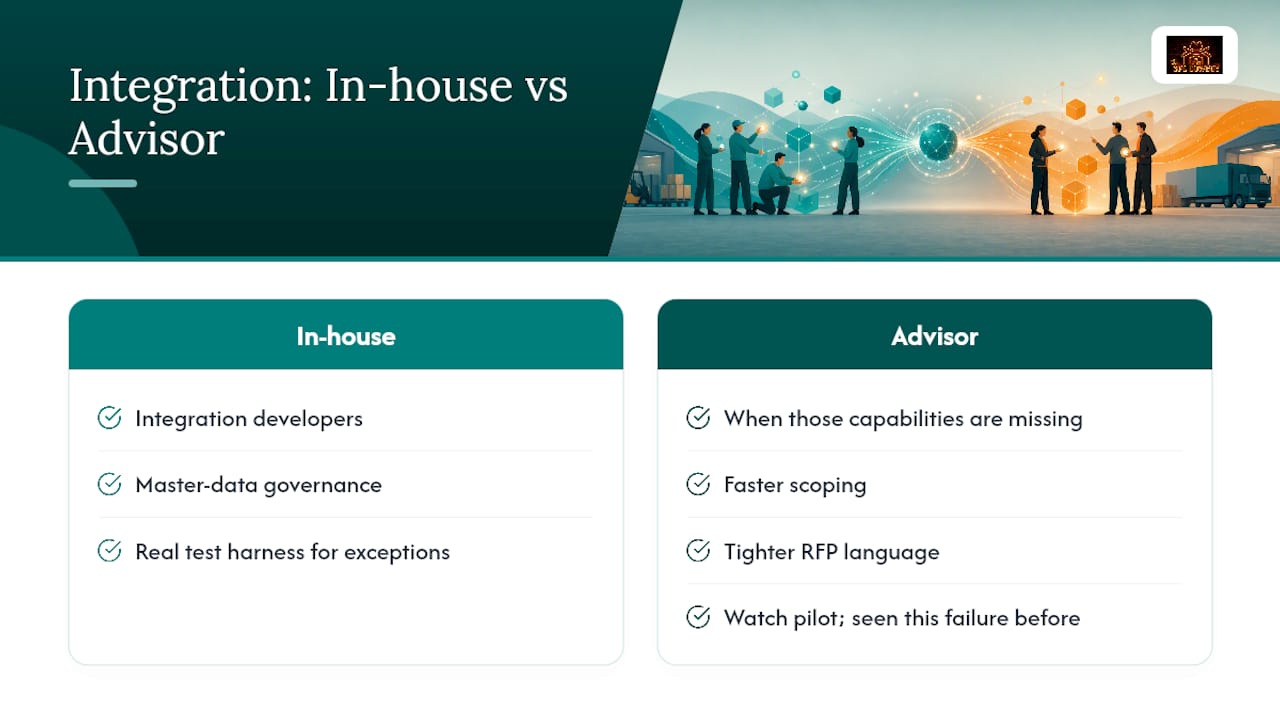
Run this in-house if you have integration developers, a master-data governance process, and a real test harness for exception scenarios. Bring in an advisor when you don’t, or when “we’ll just bolt on a connector” starts sounding like a plan. That phrase alone has sunk more pilots than any technical failure. An outside advisor buys you faster scoping, tighter RFP language, and someone watching the pilot who has seen this exact failure before.
How 3plcowboy De-Risks Your ERP-WMS Rollout
An operator-led advisory can be an alternative to hiring a generalist consultant for your ERP-WMS project, offering experience with running similar rollouts, not just theoretical knowledge.

A typical short engagement can cover: scoping the minimal viable data flows for a specific ERP and WMS combination, writing data-governance rules to prevent phantom-inventory issues, and providing pilot oversight to help ensure a smooth initial cutover. If you’re drafting requirements for a new WMS or renegotiating with a 3PL that needs to support this integration, Warehouse RFP Management gets those requirements written correctly the first time. For brands weighing whether their current 3PL can even support the integration pattern you need, 3PL Selection & Diligence is the place to start that conversation.
Where to Go Deeper on Implementation Details
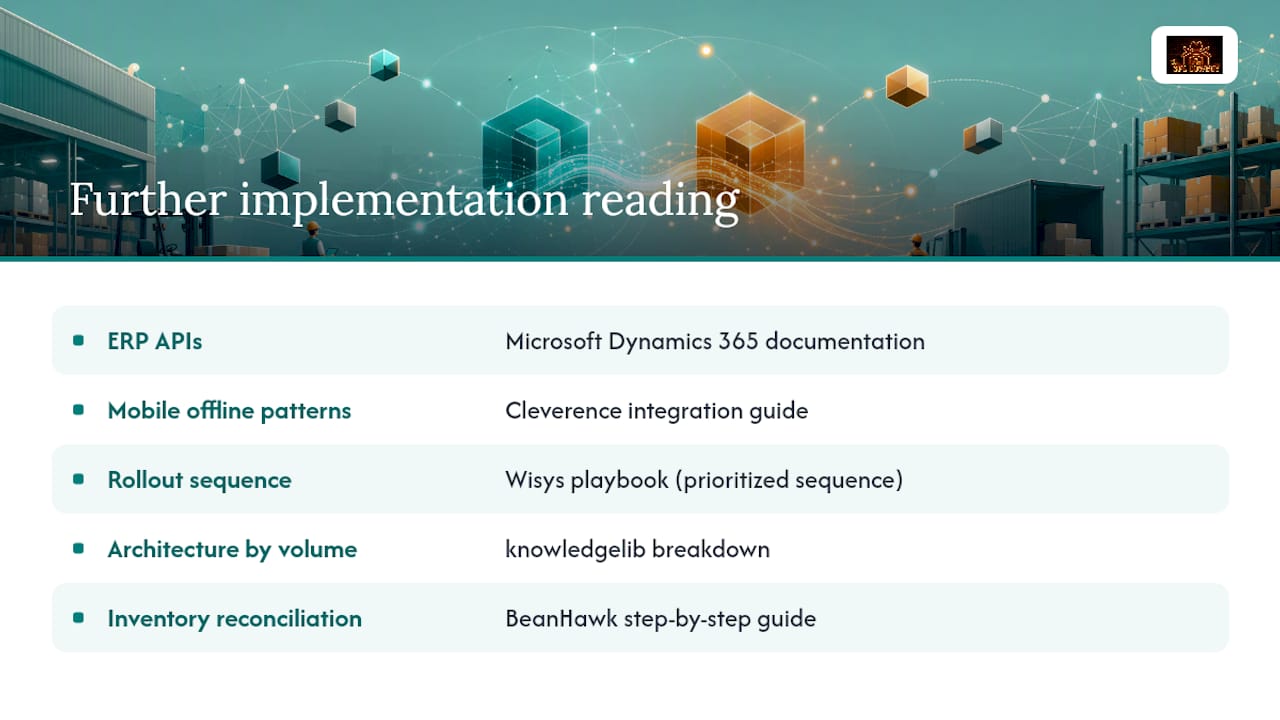
For canonical ERP object models and API scope, consult Microsoft’s Dynamics 365 documentation. For mobile buffering and offline-first device patterns, Cleverence’s integration guide covers the architecture in detail. For a prioritized rollout sequence, Wisys’s playbook is worth reading end to end, and for architecture selection by volume tier, see knowledgelib’s breakdown. For inventory reconciliation mechanics across multiple warehouses, BeanHawk’s step-by-step guide fills in the operational detail this article only sketches.
Sources
- Microsoft Dynamics 365 — What is ERP?
- ERP–WMS integration: Strategies, architecture, and top patterns — Cleverence
- ERP + WMS integration playbook — Wisys
- Knowledgelib